
Analyze Designs Without
Leaving Figma

Select frames, run smart analysis, and get prioritized UX insights with actionable fix prompts — all inside Figma.

Install Plugin
Select Figma frames, run them through the UXOverflow analysis engine, and get ranked UX insights

How It Works

01

Select Your Frames

Pick any frames or screens in your Figma file — landing pages, flows, components, anything you want reviewed.

02

Run the Analysis

Hit analyze and our AI engine examines your designs across accessibility, hierarchy, consistency, and more.

03

Get Prioritized Insights

Receive ranked UX findings with severity levels and actionable fix prompts you can apply immediately.

UXOverflow Analysis Engine

Frames enter the analysis engine, pass through six specialized modules, and emerge as ranked UX findings and fix prompts.
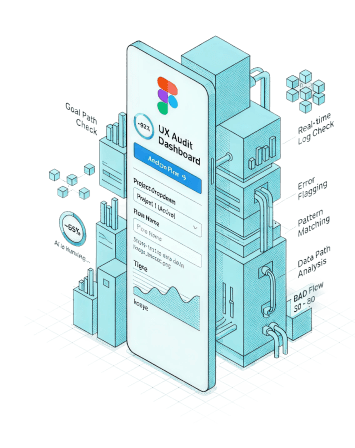
UXOverflow analysis engine

Built for Your Workflow

Everything you need to get expert-level UX feedback without leaving your design tool.

Multi-Frame Selection

Select multiple frames at once and analyze entire user flows in a single pass.

Six Analysis Modules

Accessibility, visual hierarchy, consistency, interaction patterns, content clarity, and layout structure.

Severity Ranking

Findings are ranked by impact so you know exactly what to fix first for maximum improvement.

Actionable Fix Prompts

Every finding comes with a concrete fix prompt you can apply directly to your design.

Zero Context Switching

Stay in your design flow. No browser tabs, no copy-paste, no uploading screenshots.

Sync to Dashboard

Push findings to your UXOverflow dashboard to track progress and collaborate with your team.

Ready to Upgrade Your
Design Reviews?

Install the plugin and start getting smarter UX feedback in seconds.

Install Plugin